

Did you know? Since BC 22 we are facing an issue which we call "JIT Error".
If you run Rec.CalcFields on a page to "calculate" a blob, next time you change the Record you will get the following error:
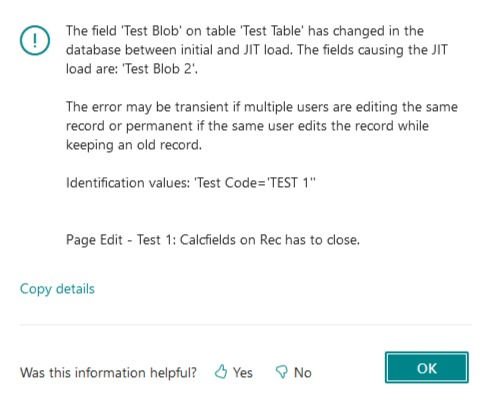
You can easily reproduce that issue with our repo:
https://github.com/byndit/Debug-JIT-Error#readme
Wait... JIT?
Yes! JIT means Just-In-Time.
"When a record is loaded as a partial record, the obvious question is: What happens when accessing a field that hasn't been selected for loading?
The answer is JIT loading. The platform, in such a case, does an implicit Get on the record and loads out the missing field."
Read more using partial records on https://learn.microsoft.com/en-us/dynamics365/business-central/dev-itpro/developer/devenv-partial-records
This error occurs by using the following Version:
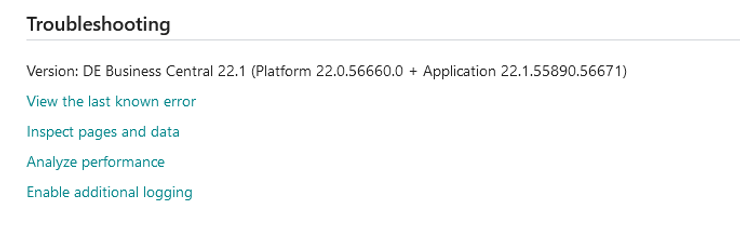
Our Test Scenarios:
Test Page 1:
- OnAfterGetRecord -> Rec.CalcFields -> Error
Test Page 2:
- OnAfterGetRecord -> NewRec = Rec -> NewRec.CalcFields -> No Error
Test Page 3:
- SelectLatestVersion in OnAction trigger -> OnAfterGetRecord -> Rec.CalcFields -> No Error
Test Page 4:
- Blob Field shown on the Page -> OnAfterGetRecord -> Rec.CalcFields -> No Error
Test Page 5:
- Blob Field hidden on the Page -> OnAfterGetRecord -> Rec.CalcFields -> No Error
First Test:
To reproduce the error in the first test page 62001:
- Open the page
- Add some entries as shown:
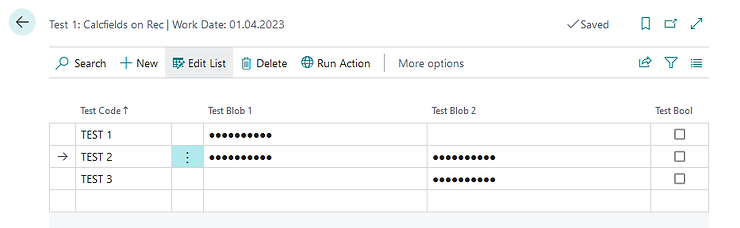
- Mark the second or third entry
- Click on “Run Action” (two times):
- First time: Test Bool will be switched to “true”
- Second time: Error
Second Test:
To reproduce the error in the first test page 62001:
- Reopen the page after you got the error
- The second entry (if selected before) has Test Bool set to true now:
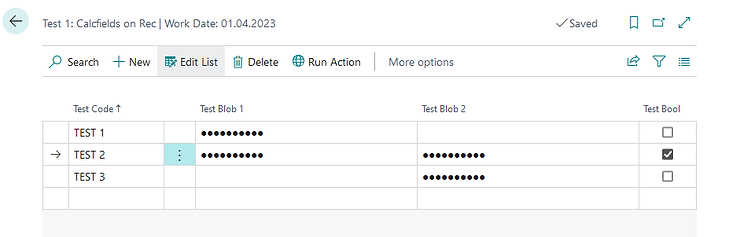
- Mark the second entry
- Click on “Run Action”
- The error will come up directly and the page will be closed
- Then you can’t start the page again until you clean your cache

