

Did you know that Business Central and older Dynamics NAV Versions are able to validate the VAT Registration No. of your Customers, Vendors or Contacts?
Get more details for Business Central here:
Or for our german friends:
But anyway: It is your responsibility to check that the data is valid. Business Central or Dynamics NAV are using the VIES VAT Number Validation service by default:
Web Service: https://ec.europa.eu/taxation_customs/vies/services/checkVatTestService
Get more details about that service on the website of the European Commission:
https://ec.europa.eu/taxation_customs/vies/#/vat-validation
But customers and partners are getting an error since two days when they use the service in older Dynamics NAV Versions/Builds:
We've created a hotfix for Business Central SaaS and OnPrem here:
https://github.com/byndit/BeyondAL/blob/main/BeyondAL/src/Hotfixes/VatRegNoValidationFix.Codeunit.al
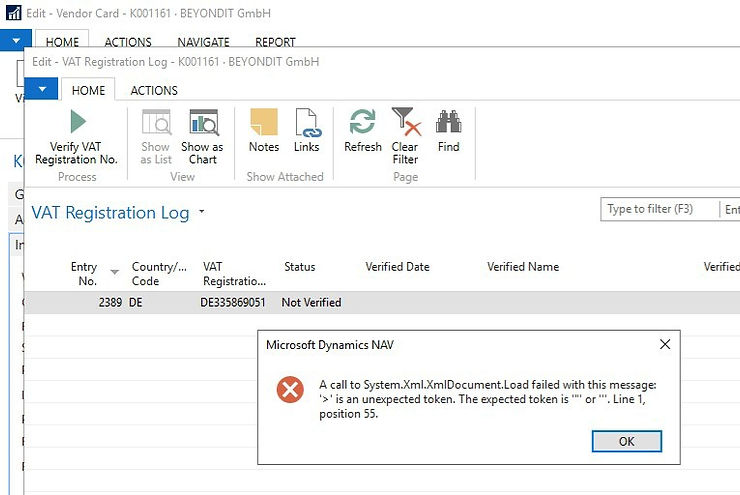
You should upgrad to the latest build ;-) but anyway here is how to fix it:
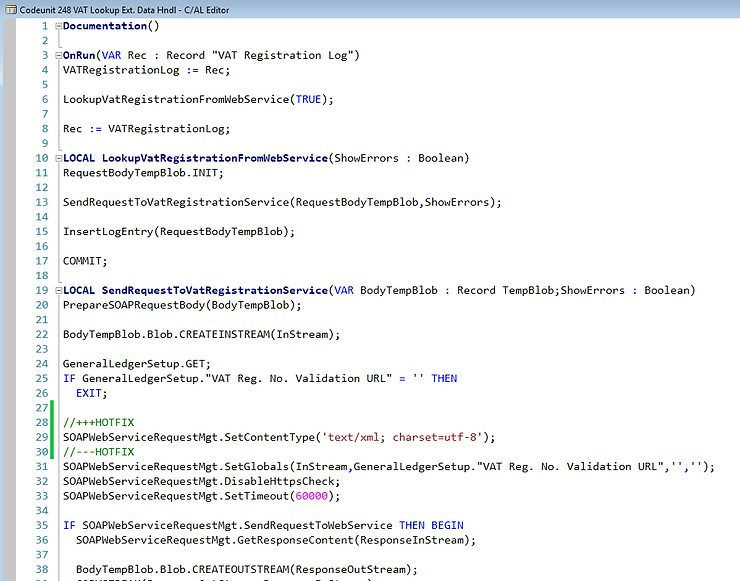
🔧 How to Fix It (Manually)
Codeunit 248 – SendRequestToVatRegistrationService
// +++HOTFIX
SOAPWebServiceRequestMgt.SetContentType('text/xml; charset=utf-8');
// ---HOTFIX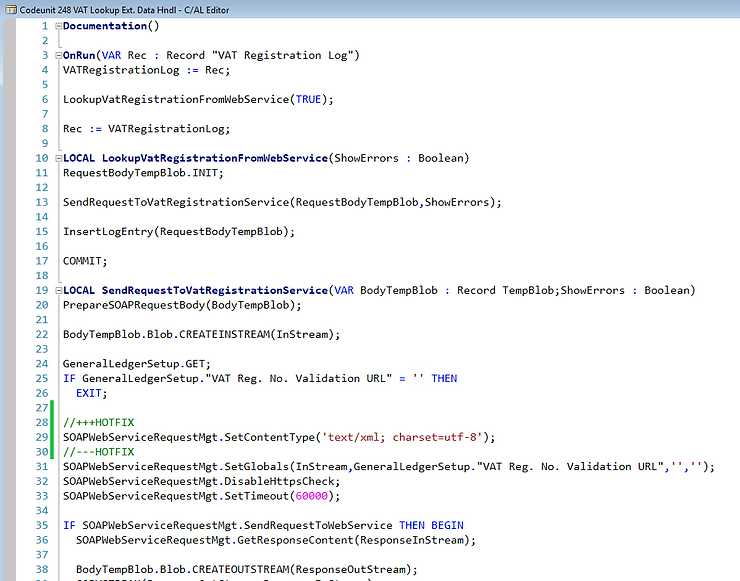
Codeunit 1290 – BuildWebRequest
In newer builds, the GlobalContentType is used.
// +++HOTFIX
IF GlobalContentType = '' THEN
    GlobalContentType := ContentTypeTxt;
HttpWebRequest.ContentType := GlobalContentType;
// HttpWebRequest.ContentType := ContentTypeTxt;
// ---HOTFIX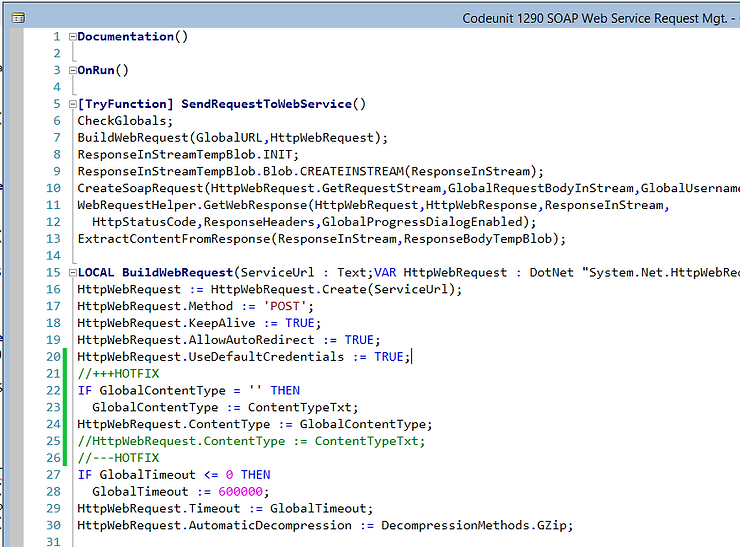
🎉 That’s it!
We still recommend: Upgrade to Business Central SaaS to avoid such issues in the future.
Feel free to contact us for more help, best practices or to discuss upgrade paths.

