

Ever found yourself lost in localization details for Microsoft Dynamics 365 Business Central? 🌍
I recently had to figure out the specifics behind Intrastat reporting for the German localization—particularly the implementation of the partyId. Instead of digging through countless files manually, I used DeepWiki. 🔍
DeepWiki is a powerful tool that searches repositories like Microsoft's ALAppExtensions swiftly and precisely.
How DeepWiki helped me find my answer:
I typed my question directly into DeepWiki:
"How does Intrastat work for the German BC localization, specifically partyId implementation?"
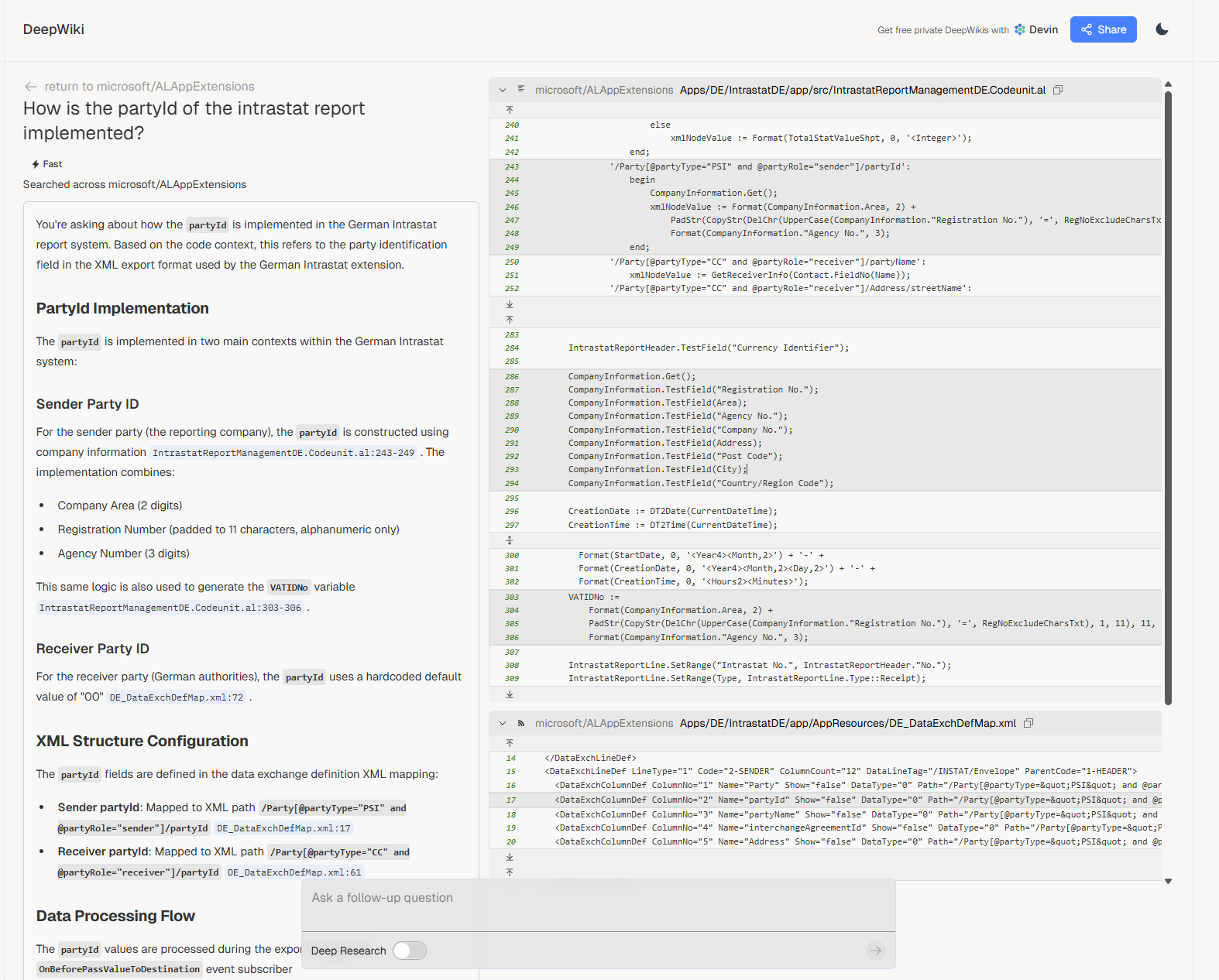
Within moments, I received concise yet detailed results:
- German Intrastat functionality implemented via the
Intrastat DEextension. - Utilizes specific data exchange configurations (
INTRA-2022-DE). - Clearly explained the
partyIdstructure:- Combines Company Area (2 digits), Registration Number (padded to 11 characters), and Agency Number (3 digits).
- Included references to specific AL code units and XML mappings directly from Microsoft's repository.
- Highlighted that Microsoft uses hardcoded properties, specifically a default
partyIdof "00" for the receiver party (German authorities), illustrating how fixed values are sometimes embedded directly into the Intrastat implementation.
🎯 Benefits of using DeepWiki:
- Time-saving: Immediate pinpointed results.
- Accuracy: Directly referenced official repository data.
- Clarity: Simple and understandable breakdown of technical details.
With tools like DeepWiki, navigating complex BC localizations is effortless. No more manual searching through extensive documentation!
Try it yourself: DeepWiki 🚀
#BusinessCentral #DeepWiki #Intrastat #ERP #Localization #ALDevelopment #BeyondIT #EfficiencyBoost

