Chrome extension for anonymizing BC data

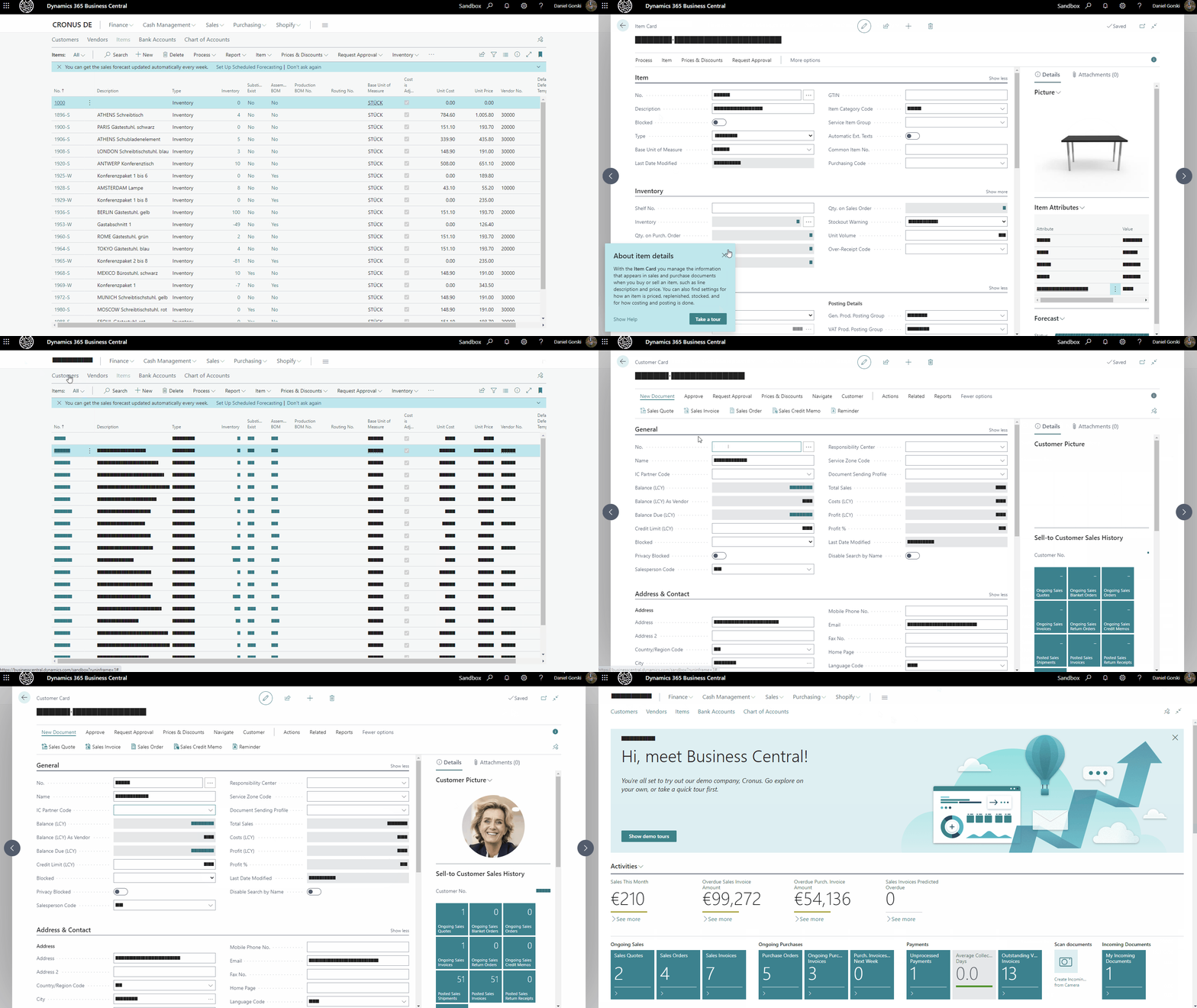
Anonymize Data in Business Central with our Chrome Extension

Daniel Gorski
Daniel Gorski 17. Juni 2022
1 Min. Lesezeit

Feel free to do your own modifications and please share it with the community!

Our project is public available on:
👉 https://github.com/byndit/BeyondAnonymizer

Clone the repository and install the extension in dev mode into your Chrome:

  1. Open your Extensions chrome://extensions/
  2. Activate "Developer mode" on upper right corner
  3. Click on "Load unpacked"
  4. Select the cloned repository location and select the folder chrome-extension
  5. Activate or deactivate the extension by clicking on the "BeyondAnonymizer" icon

Steps to install the Chrome extension

There you go!

Anonymized Business Central demo in action

beyondit
msdyn
Business Central
Privacy
Chrome
Extension
Azure Communication Services SMTP with Scanner

Using Azure Communication Services SMTP with Your Scanner or Printer

Need to send scans via email from your office scanner? Azure Communication Services provides a reliable SMTP relay that works with any device supporting SMTP au

Weiter lesen
Weiter lesen
XRechnung Einrichtung in Business Central

XRechnung in Business Central einrichten: Schritt für Schritt zur E-Rechnung

Ab 2025 wird die E-Rechnung im B2B-Bereich in Deutschland Pflicht. Wir zeigen Ihnen, wie Sie XRechnung in Business Central einrichten – mit E-Beleg-Dienst, Work

Weiter lesen
Weiter lesen